
iPhone Photography Tips: How to Take Much Better Photos on Your Phone
The camera in a modern phone is better than most of us are at using it. Almost every bad phone photo comes down to the same three things: the light was behind the subject, the phone was too far away, and the shot was taken from adult standing height.
Fix those and everything else is detail. Here's the short version that works on any recent iPhone.
Honest note: we design and print our cards, badges, prints and party decorations in the UK. The MacBook and the iPhone are recommendations from elsewhere.
Shop the cards that go with these
Cards and prints, designed by us
Greetings cards and wall art drawn in house and printed in the UK.
 Happy Valentines Day, Bab (Valentines Day Card)
£3.87
Happy Valentines Day, Bab (Valentines Day Card)
£3.87
 "Woof Woof" Sausage Dog Valentines Day Card
£3.87
"Woof Woof" Sausage Dog Valentines Day Card
£3.87
 Happy Valentines Day Card From The Cats
£3.87
Happy Valentines Day Card From The Cats
£3.87
 Happy Valentines Day, My Love (Valentines Day Card)
£3.87
Happy Valentines Day, My Love (Valentines Day Card)
£3.87
 You're Purr-fect To Me (Cat Valentines Day Card)
£3.87
You're Purr-fect To Me (Cat Valentines Day Card)
£3.87
 Happy Birthday Papa (Happy Birthday Card) (Multiple designs)
£3.87
Happy Birthday Papa (Happy Birthday Card) (Multiple designs)
£3.87
Light first, everything else second
- Put the light behind you, not behind your subject. That one change fixes most photos.
- Window light at 45 degrees is the best free lighting in any British house.
- Overcast days are excellent for portraits. Bright midday sun is the worst.
- Never use the flash on a face if there's any other light available.
- Low light is the one place the hardware genuinely matters. An iPhone 18 Pro Max is the camera most people will actually carry. The long lens and the low-light performance are the two things worth paying for if you take a lot of photos of people.
Framing and where to stand
- Get closer with your feet before you pinch to zoom.
- Use the 2x or 5x lens for portraits. The wide lens distorts faces up close.
- Shoot children and dogs at their eye level, not from above.
- Turn the grid on and put the eyes on the top third line.
- Leave a little space in the direction the subject is looking.
Settings worth changing once
- Turn the grid on. Settings, Camera, Grid.
- Turn Live Photos on for anything with movement, then pick the best frame afterwards.
- Lock focus and exposure with a long press, then slide up or down to brighten.
- Shoot in HEIF unless you need to send to a Windows machine, then JPEG.
- Turn on Photographic Styles and knock the warmth up slightly for British light.
Portrait mode, used well
- Portrait mode works best at about two metres, not arm's length.
- Check the edges of hair and glasses before you trust the blur.
- You can change the blur after taking the shot. Most people never try.
- For a group, step back and use the standard photo mode instead.
- Take three, not one. Someone always blinks.
Editing without ruining it
- Crop first, adjust second. Composition beats filters.
- Lift shadows a little, pull highlights down a little, leave saturation alone.
- Warmth up slightly on grey British days.
- If it looks edited, you've gone too far.
- Edit on a bigger screen when it matters - a laptop shows what a phone hides.
Do something with them
- Photos that stay in the camera roll may as well not exist. A MacBook Air is the safe answer for most people: it's silent, it lasts a full day away from a plug, and it handles photo editing, coursework and everyday work without fuss.
- Print six a year and put them somewhere you'll walk past.
- A photo in a card beats a photo in a group chat - Shop the range
- Frame one properly and hang it - Shop the range
- How to print your phone photos - Read the guide
Found your words? Now find the card
How to write it so it lands
- Light behind you, not your subject.
- Move your feet before you zoom.
- Shoot kids and dogs at their eye level.
You might also be interested in...
We make cards, pin badges, prints and party bits in house. These are from other shops we rate, and buying through the link costs you nothing extra.
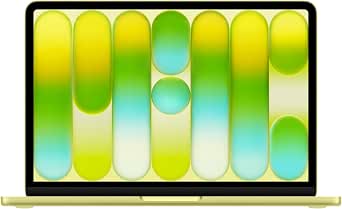
Apple MacBook Neo 13-inch Laptop with A18 Pro chip: Built for AI and Apple Intelligence, Liquid Retina Display, 8GB Unified Memory, 256GB SSD Storage, 1080p Fac
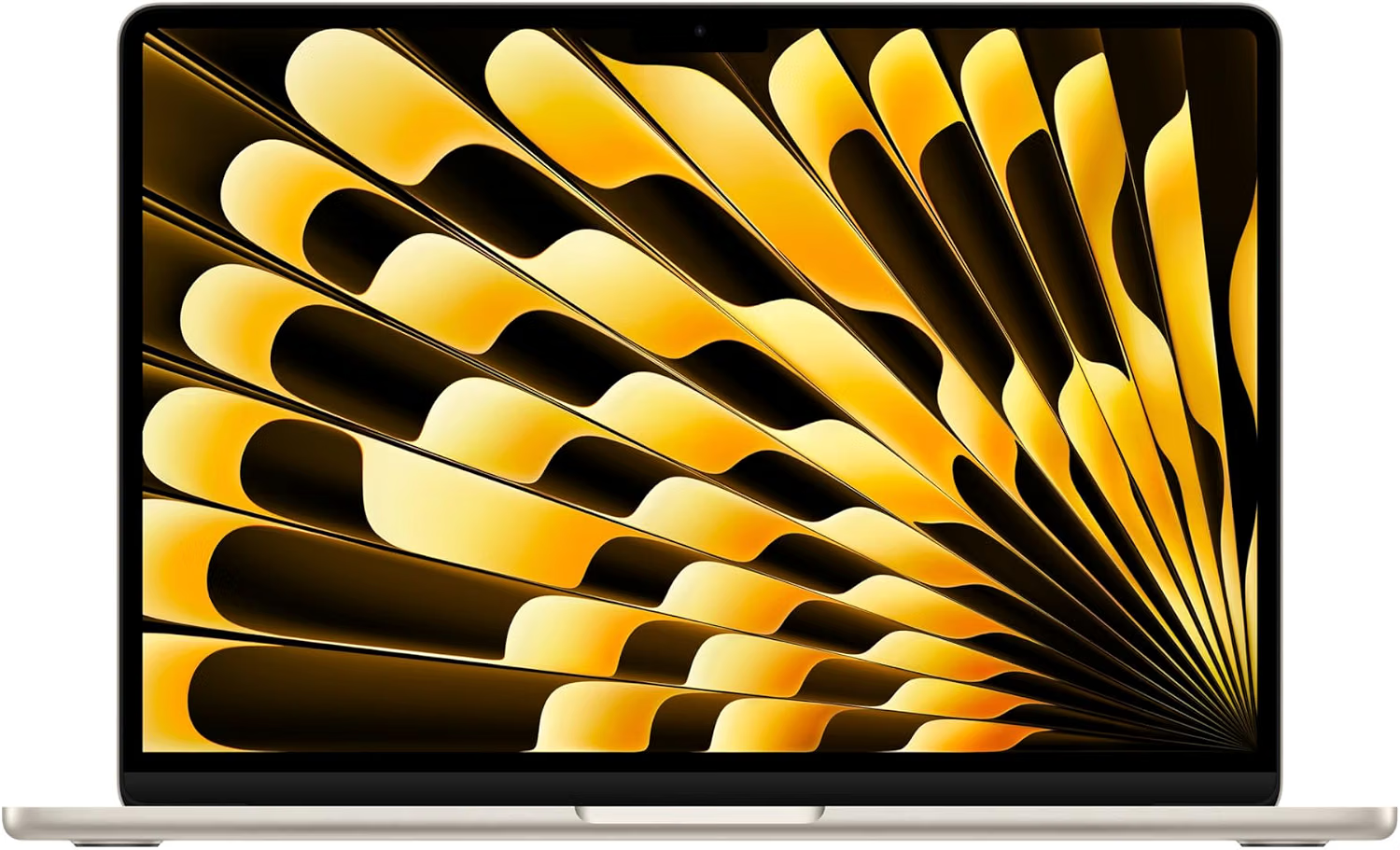
Apple MacBook Air 13-inch Laptop M5 chip with 10-core CPU and 8-core GPU: Built for AI, 13.6-inch Liquid Retina Display, 16GB Unified Memory, 512GB SSD
Where to shop next
- Greetings cards
- Pin badges
- Funny wall art
- Party items
- Scented soy candles
- Best tech for starting university
- 18th birthday tech gift ideas
- How to print your phone photos
- Best laptop for a small creative business
- Tech gifts for a new job
- Gifts for tech lovers
- Gifts for university students
- Gifts for graphic designers
- Best laptop for graphic design students
- Small home office ideas
- How to archive your family photos
- Planning the party? Birthday party ideas
- How to make a balloon arch
- Photo booth prop ideas
- Birthday cards for kids
- Pin badges
- All guides
Frequently asked questions
How do you take better photos on an iPhone?
Put the light behind you rather than behind your subject, get physically closer instead of zooming, shoot children and pets at their eye level, and use the 2x or 5x lens for faces so the wide lens doesn't distort them.
Which iPhone lens is best for portraits?
The 2x or 5x telephoto. The main wide lens stretches faces when you're close, which is why selfies at arm's length rarely flatter anyone. Stand back and zoom with the lens, not the pinch.
How do you take good photos indoors?
Turn the overhead light off, stand your subject about a metre from a window with the light at 45 degrees, and keep the flash off. If the room is genuinely dark, that's where a newer phone camera earns its money.
Should you edit phone photos?
Lightly. Crop for composition first, then lift the shadows and pull the highlights down a touch. Leave saturation alone. If anyone can tell it's been edited, you've overdone it.
Do you sell the laptop or the phone?
No. We design and print greetings cards, enamel pin badges, prints, candles and party decorations in the UK. The MacBook and the iPhone are recommendations from elsewhere - only the things linked to our own shop are ours.